Rear entertainment system
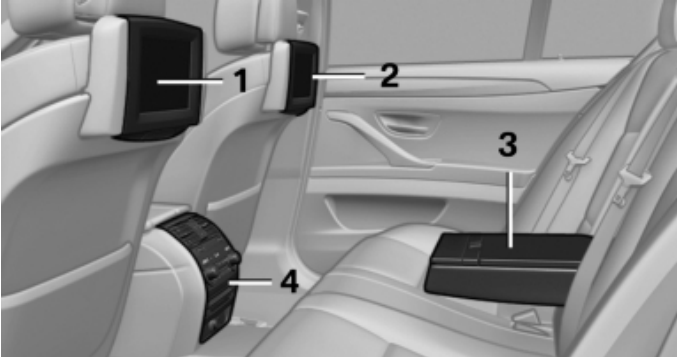
1 - Screen on the left.
2 - Screen to the right.
3 - DU in the middle subclavian.
4 - CD/DVD player.
Learn more about airbags .
CD/DVD player in the rear of the cabin
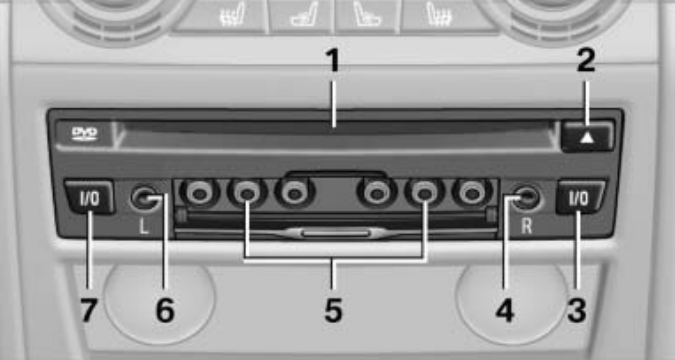
1 - CD/DVD section.
2 - Open CD/DVD.
3 - ON/OFF right.
4 - Headphone jack on the right.
5 - RCA connector.
6 - Headphone jack on the left.
7 - ON/OFF left.
How to turn the cabin entertainment system on or off
For the corresponding side, press the left or right button on the rear CD/DVD player:

The rear entertainment system and screens are turned on/off. After turning off the ignition, the system should be restarted.
How to adjust screens
1. Pull the bottom edge of the screen:
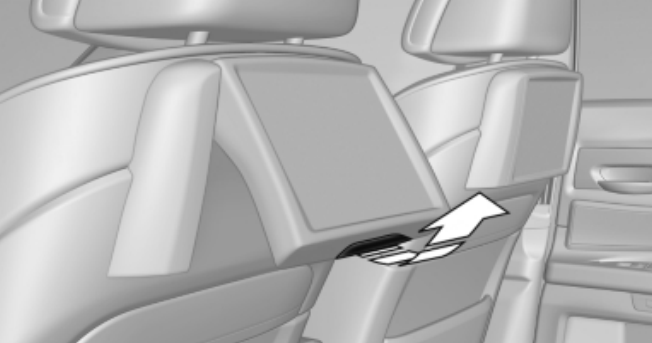
2. Click on the bottom edge of the screen.
Important: Do not touch the back of the screen, otherwise you may get burned. The back of the screen can get very hot.
Remote control
The remote control is located in the middle armrest of the rear part of the cabin.
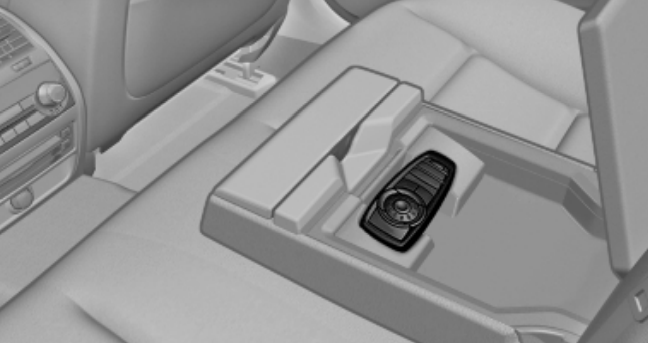
Read about setting the date and time on the control display here .
Menu management
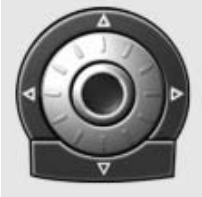
Turn the wheel: select a menu item.
Pressing the middle key: confirm the selection.
Pressing an arrow key: Switch between windows.

Output of the output menu.

Go to the previous menu.

Call the "Options" menu.

Change radio station, track or section. Press and hold: fast forward/reverse search.

Volume control.

Toggles the volume left/right.
How to replace the battery in the remote control of the entertainment system
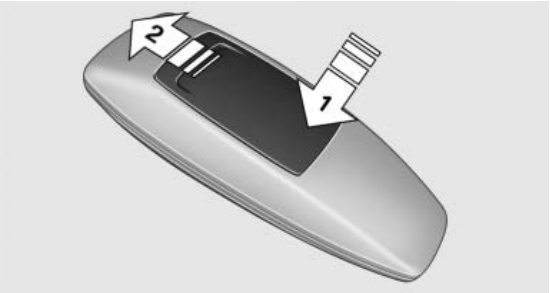
1. Remove the casing. To do this, press on the cover, arrow 1, and push it forward, arrow 2.
2. Insert batteries of the same type.
3. Close the lid.
We also recommend that you familiarize yourself with how to use the Mobility System repair kit