BMW Owner's Manual: Overview of the center console area

AvtoAd
08/07/2022
Overview of the center console area

1. The ceiling.
2. Control display.
3. Glove box.
4. Air ducts.
5. Emergency light signaling system.
6. Radio receiver.
7. Automatic air conditioner.
8. Controller with keys.
9. Parking brake.
10. Emergency approach alarm during PDC parking.
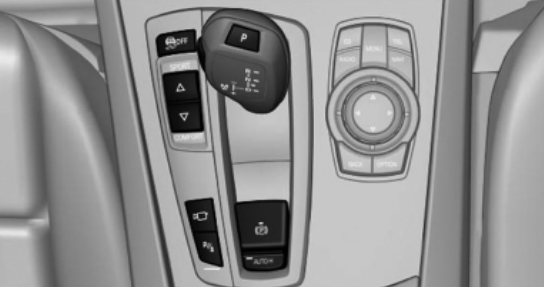
11. Management of traffic dynamics.
12. Gearbox with selector lever.
Control display
Important: Follow the care instructions when cleaning the control display.
Do not place objects in the area in front of the control display, otherwise the display may be damaged.
To turn off the control display, do the following:
1. Click on the button:

2. In the menu, select the "Disable control display" function:
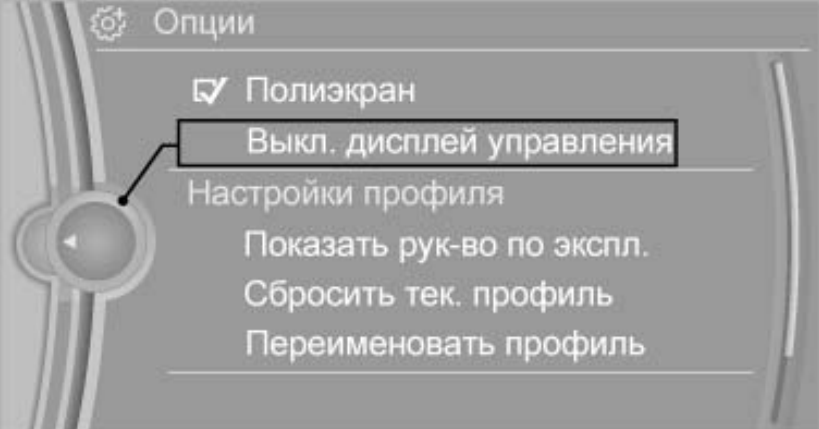
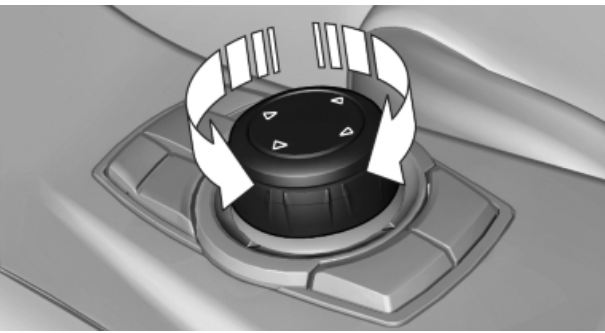
To turn on the control display, press the controller as follows:
1. Turn the controller:
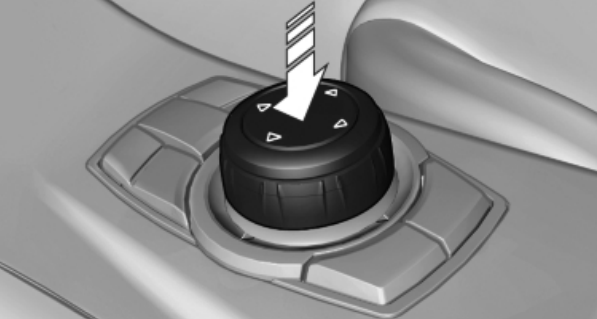
2. Click on the controller:
4. Turn in four directions:
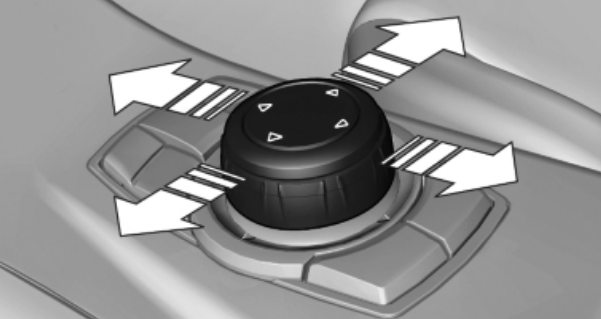
Read an overview of the BMW driver's seat here .
Glove box
From the passenger side:
To open the glove box, pull the handle:
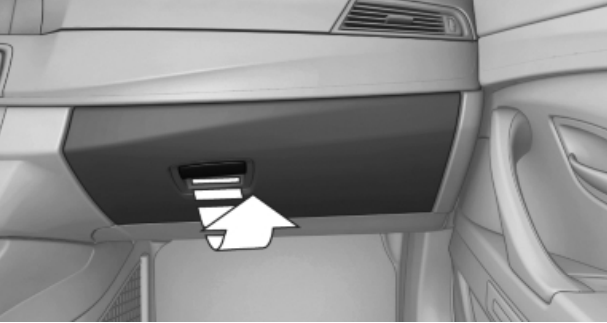
Important: Do not leave the glove box open while driving to avoid injury in the event of an accident.
You can close the glove box mechanically.
Also, there is a USB port for data transfer in the glove box:
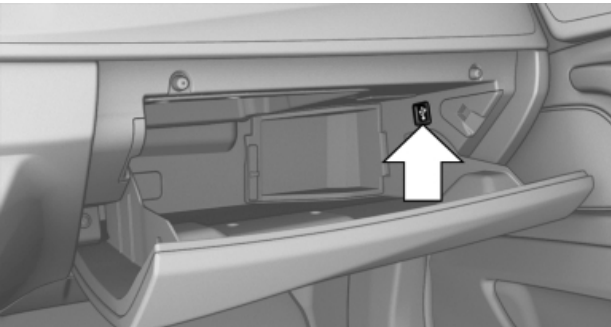
From the driver's side:
To open the glove box, pull the handle:
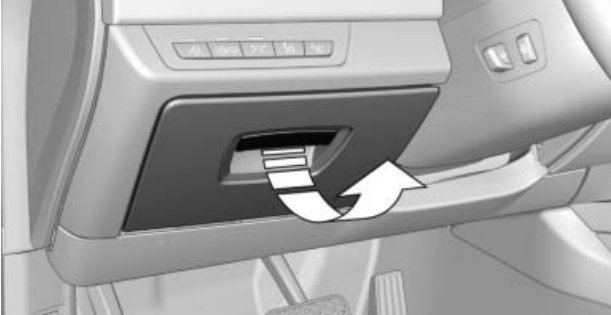
Important: Do not leave the glove box open while driving to avoid injury in the event of an accident.
You can close the glove box mechanically.
Average counter:
To open the glove box, press the button:
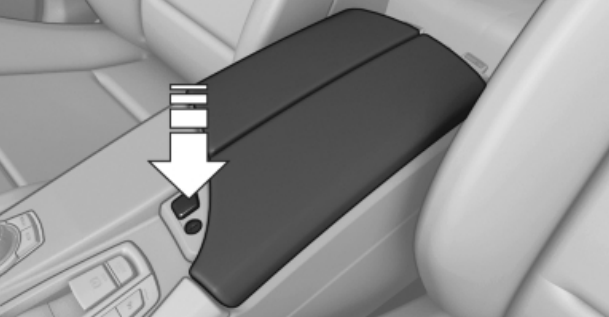
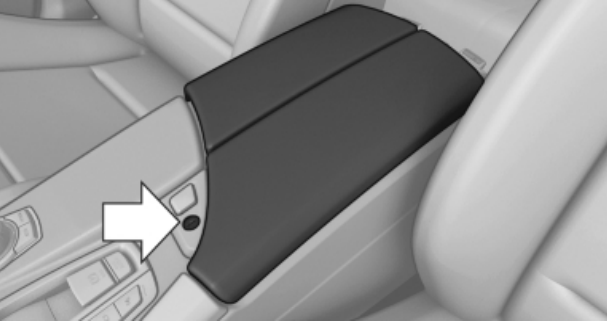
You can close this glove box with a key:
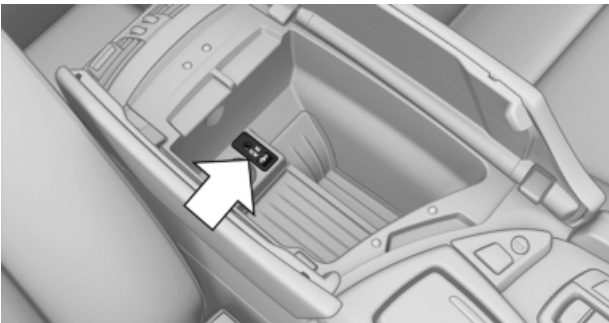
You can also connect an external music device here:
Behind:
To lower the rear glove box, pull the handle and fold the armrest forward:
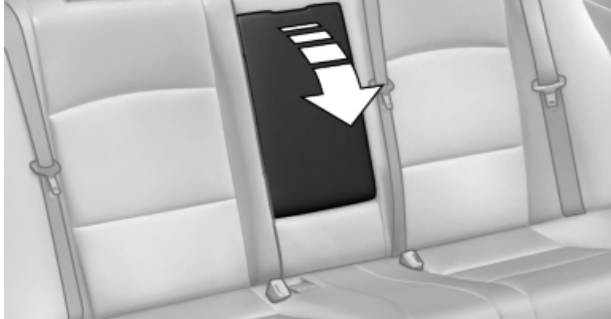
To open the glove box, pull the handle and flip the lid:
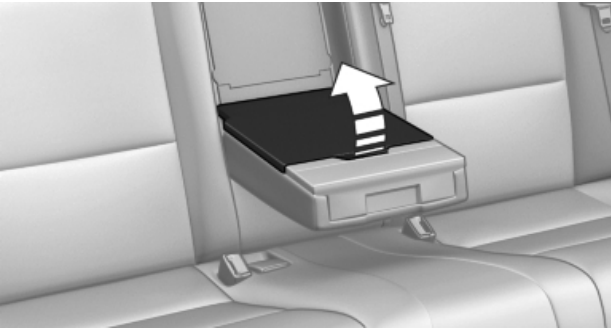
Read more about the BMW rear entertainment system here.
Air ducts
To turn on the system, press any button.
To turn off the system, press to the left of the driver:

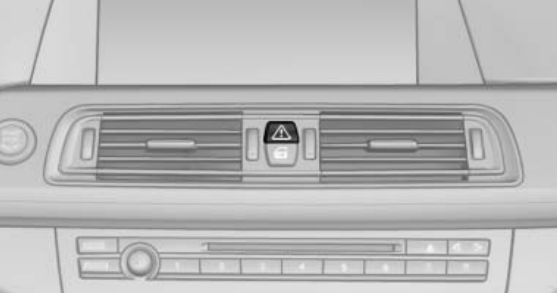
Emergency light signaling system
We turn on the system by pressing the button:
Radio
Management:
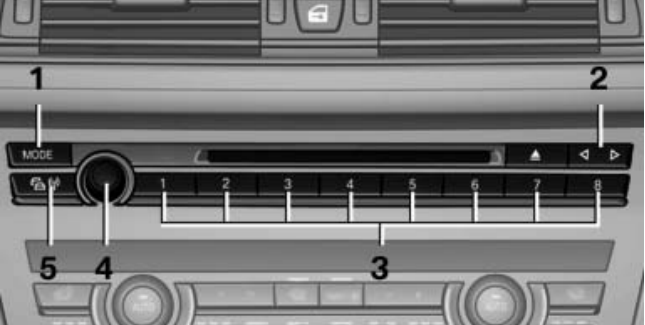
1 - Changing the type of entertainment.
2 - Change radio station/track.
3 - Hot buttons.
4 - ON/OFF, sound volume.
5 - ON/OFF traffic information.
To select a radio station, select the following menu functions:
1. "Radio";
2. "FM" or "AM";
3. select a radio station:
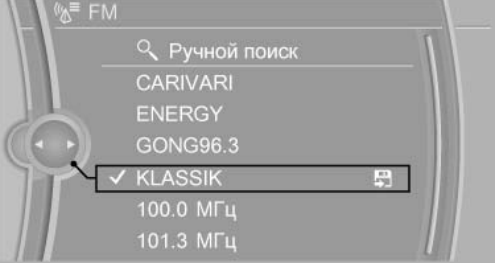
To save a radio station, select the following menu functions:
1. "Radio";
2. "FM" or "AM";
3. highlight the required radio station:
4. Press the controller for a long time;
5. Select the required memory cell.
To manually tune to a radio station, select the following menu options:
1. "Radio";
2. "FM" or "AM";
3. "Manual search";
4. in the "AM" frequency range, if necessary, choose between "SW", "HF";
5. frequency selection: turn the controller:
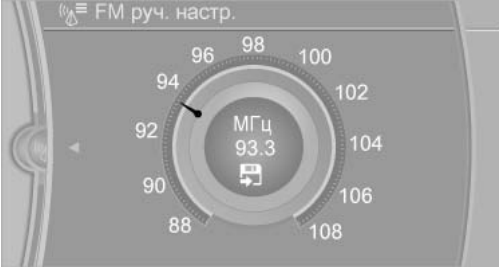
Read also about iDrive .
CD/multimedia
Management:
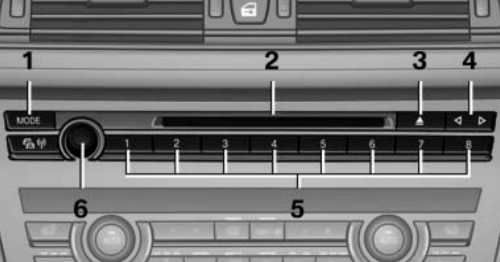
1 - Changing the type of entertainment.
2 - CD/DVD drive.
3 - Open CD/DVD.
4 - Change radio station/track.
5 - Hot buttons.
6 - ON/OFF, sound volume.
Automatic air conditioner
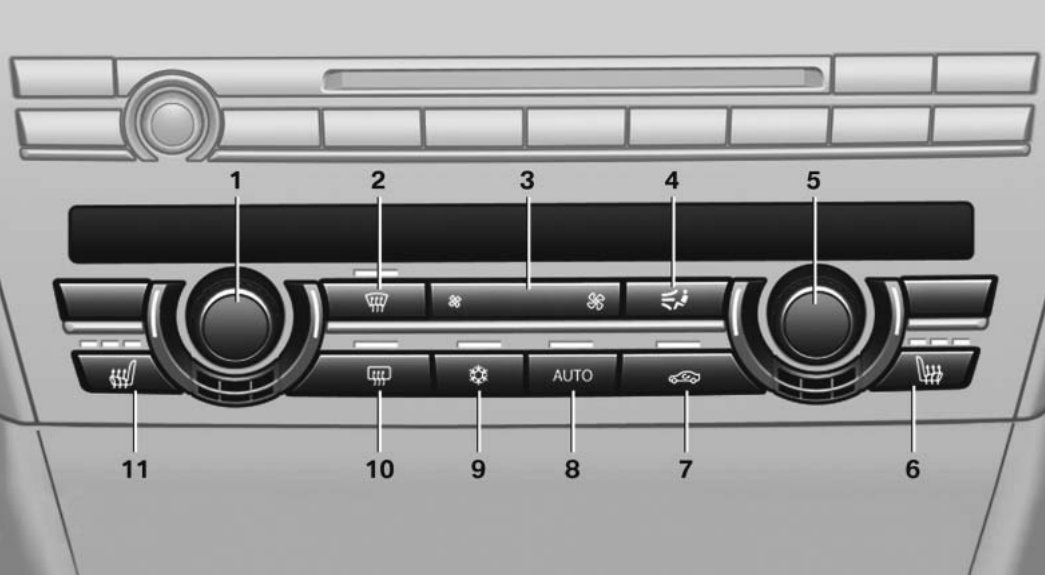
1 - Temperature, left side.
2 - Removal of ice and condensate.
3 - Air volume, residual heat.
4 - Distribution of air flows.
5 - Temperature, right side.
6 - Seat heating, right side.
7 - Recirculation mode.
8 - AUTO program.
9 - Cooling mode.
10 - Rear window heating.
11 - Seat heating, left side.
To set the desired temperature, turn the wheel:
Ice and condensation are quickly removed from the windshield and front side glass if you press the button:

To be able to adjust the air volume manually, first switch off the AUTO program. And then click on the left or right button:

To cool the interior, press the button:

To heat the rear window, press the button:

Controller with buttons
Buttons on the controller:
MENU - Display the output menu.
RADIO - Call the radio menu.
CD - Call the CD/multimedia menu.
NAV - Call navigation on the map.
TEL - Call the phone menu.
BACK - Displays the previous window.
OPTION - Call the options menu.
Parking brake
The parking brake serves to keep the parked car from rolling. It affects the rear wheels.
With automatic transmission:
The parking brake can be used manually or automatically:
Manual: Pull and press the switch.
Automatic: Enable automatic hold.
To set the parking brake, do the following:
1. Pull the switch:

The LED will light up.
2. Make sure that the control lamp flashes red:

To turn off the parking brake mode in a car with a manual transmission, press the switch while pressing the brake or clutch pedal.
To turn off the parking brake mode in a car with an automatic transmission, press the switch with the brake pedal depressed or gear P engaged.
Emergency approach alarm during PDC parking
In addition to alarming the emergency approach during PDC parking, you can turn on the rear view camera. The PDC system provides assistance in parking. The form of a warning about a slow approach to an obstacle in front of or behind the car:
- Sound signals.
- Image on the display.
Automatic activation of the system occurs when the engine is active with the automatic transmission selector lever in the R position.
Automatic shutdown of the system occurs under the condition of moving forward after approx. 50 m. or when moving forward at a speed of approx. 36 km/h.
To turn the system on or off manually , click on the button:

Learn about the BMW Pedestrian Protection System and how to set it up .
Management of traffic dynamics
With the help of the traffic dynamics control system, you can adjust the car's properties related to the traffic dynamics. For this, various programs are available to choose from, which can be activated using both buttons for controlling the dynamics of movement.
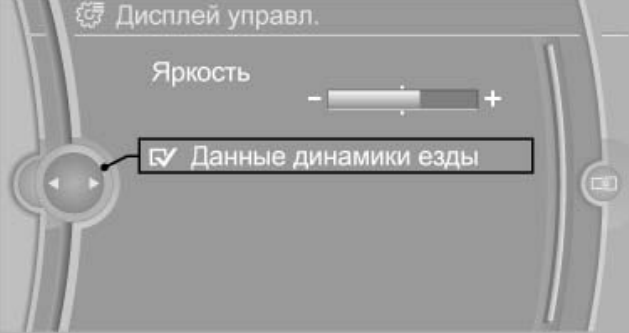
To display the program change, select the following functions in the control display:
1. "Settings";
2. "Control display":
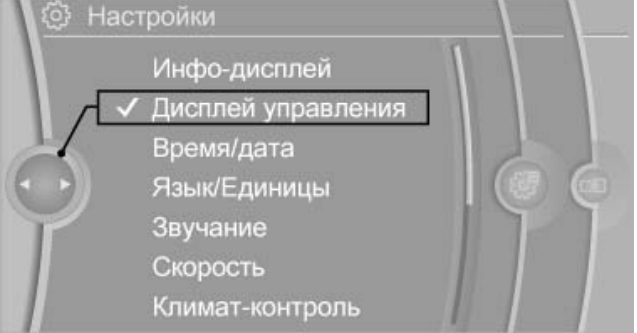
3. "Driving dynamics data":
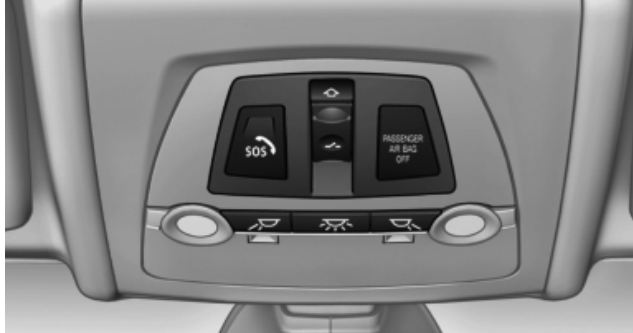
Inspection of the ceiling area
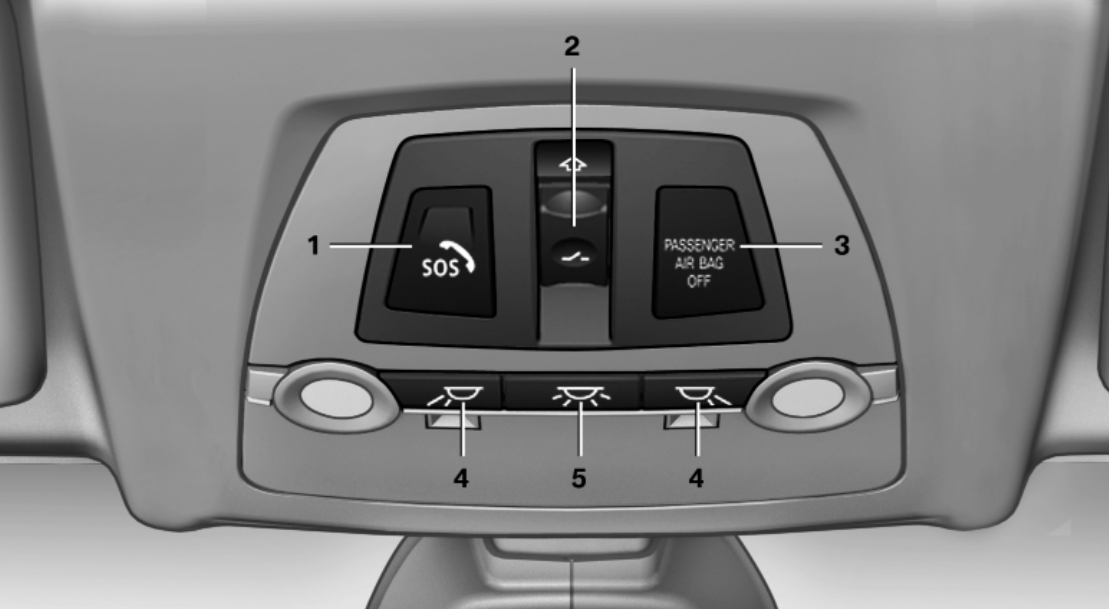
1. Emergency call.
2. Hatch cover, electric.
3. The control lamp of the front passenger's NPB.
4. Reading lamps.
5. Interior lighting.
Emergency call
To make an emergency call, do the following:
1. Press the lid to open it.
2. Press the SOS button until the LED in the button lights up.
Read also about the tire pressure control system .
Manhole cover, electric.
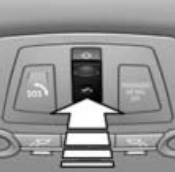
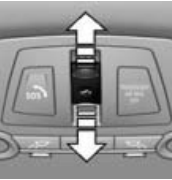
The hatch cover and flap can be controlled separately from each other or together using the same switch.
To raise the hatch cover , press the switch:
To open or open the damper , move the switch to the actuation point in the desired direction and hold it:
The control lamp of the front passenger's NPB
The front passenger airbag warning light is an indicator of the status of these airbags. When the front passenger's airbags are deactivated, the warning lamp lights up continuously. When the front passenger's airbags are activated (functional), the warning lamp does not light up.
Reading lamps
Reading lamps are located in the front and on the back seat near the interior lighting. To enable or disable, click on the button:

Interior lighting
Interior lighting, footwell lighting, door sill lighting, and home lighting are automatically adjusted. The brightness of the equipment is controlled by a knurled wheel for illuminating the instrument cluster. To enable or disable, click on the button:
