Setting the time on the BMW control display
How to set the time zone:
1. Go to the settings.
2. Select the "Time and date" function:

3. Select the "Time zone" function.
4. Select the required time zone.
How to set the time:
1. Go to the settings.
2. Select the "Time and date" function:
3. Select the "time" function:
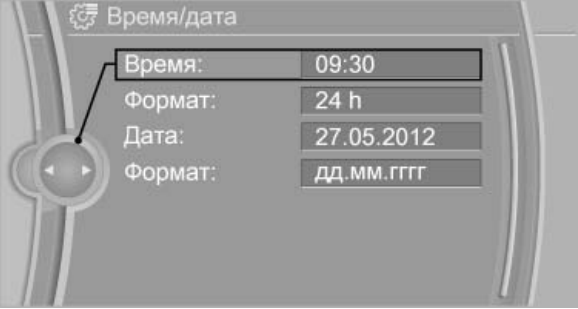
How to set the time format:
1. Go to the settings.
2. Select the "Time and date" function.
3. Select the "Format" function.
4. Choose the format.
Setting the date on the BMW control display
1. Go to the settings.
2. Select the "Time and date" function.
3. Select the "Date" function.
4. Turn the controller to set the desired day.
5. Click on the controller.
6. Set the month and year accordingly.
How to set the date format:
1. Go to the settings.
2. Select the "Time and date" function.
3. Select the "Format" function.
4. Choose the format.

